WordPress 7.2 is planned for December 8, 2026, and is the last major release of the year. We’re just a few weeks away from the first release candidate, so some details will likely change as we come closer to the release day.
At the core, WordPress 7.2 puts a lot of muscle and attention into the everyday parts of the platform. You can expect more control and fewer bumps in the editing experience, better ways to manage media, and many quality-of-life upgrades overall.
Meet Ipsum
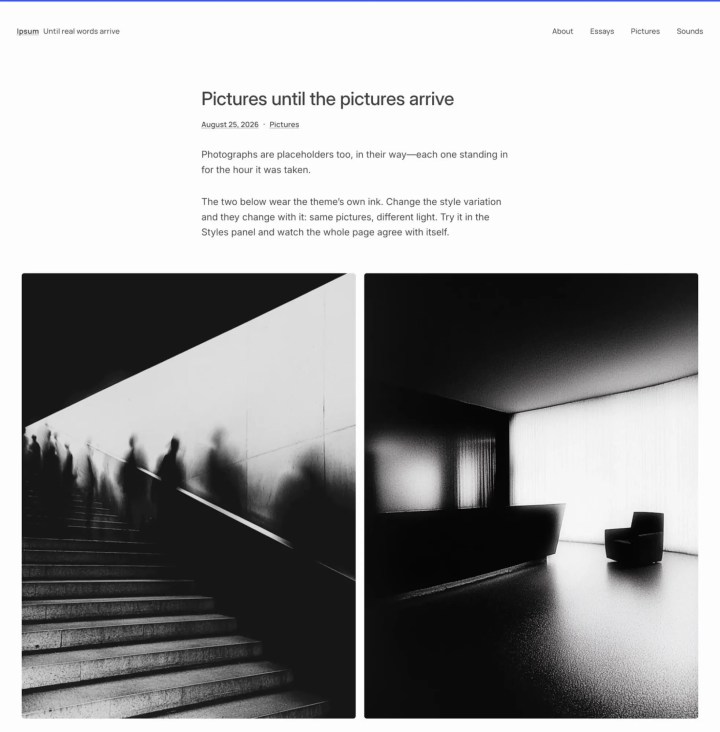
Since Twenty Ten in 2010, WordPress default themes have been named after the year they launched. Now, WordPress 7.2 expects to break that 16-year streak with a new default theme called Ipsum. The name brings to mind Lorem ipsum, the classic placeholder for design and publishing. Like its namesake, Ipsum gives users a blank canvas they can make their own.
A more capable WordPress Editor
A lot of the work in WordPress 7.2 is around putting more control in people’s hands over how their sites look, without making them work around the editor to get there.
Responsive design is one of those areas. WordPress 7.1 introduced responsive style controls, and 7.2 builds on that with more controls that adapt block styles to different screen sizes. Gallery blocks, for example, now have responsive settings for columns, image cropping, and aspect ratios for you to have a say over desktop versus phone view.
Global Styles is getting a welcome change, too. In this release, inherited styles are visible in individual block settings, so editors can see which values come from the site’s global settings. There’s also work to bring form-element styling into Global Styles for consistent formatting of inputs and labels without reaching for custom CSS every time.
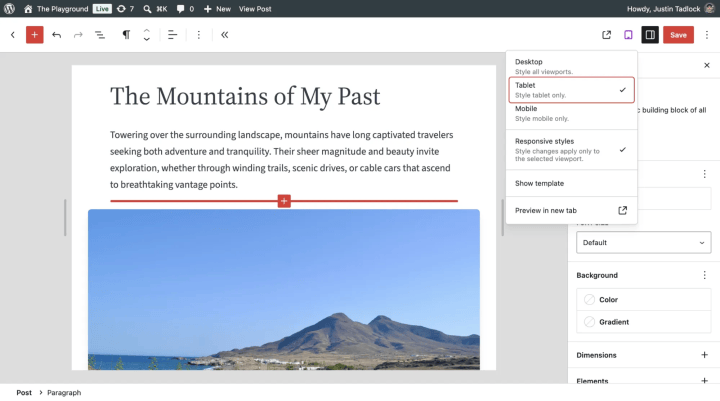
And for designers who like to sweat the finer stuff, WordPress 7.2 brings text shadow controls. These can be configured through block settings and defined as presets in theme.json, giving theme developers a way to keep consistent typography treatments.
In the mix, these improvements offer more room to play with visual details for a more put-together site experience.
Take Notes!
When you’re reviewing a page with someone, you know how easily feedback gets tangled in comments, blocks, or versions. WordPress 7.2 is making Notes more useful for people reviewing and editing content together.
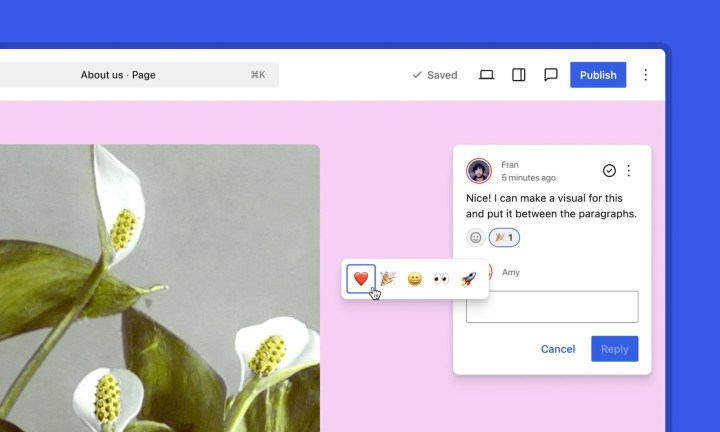
Reviewers will be able to suggest edits that editors can accept or reject, react with emoji, and access Notes easily from the block toolbar. Notes are also moving onto the editor canvas, so feedback can sit closer to the content being discussed. A minimized mode should also make it easier to get through the feedback pile without having to switch views.
More from the Media Library
Media workflows are another area where WordPress 7.2 is looking to reduce friction, particularly for sites with large libraries.
Browser-based media processing is also expanding to the Media Library. Images can be resized, compressed, and converted in the browser before they’re uploaded. This can reduce the processing work left for the server and improve the upload experience, particularly on hosting environments with limited image-processing capabilities.
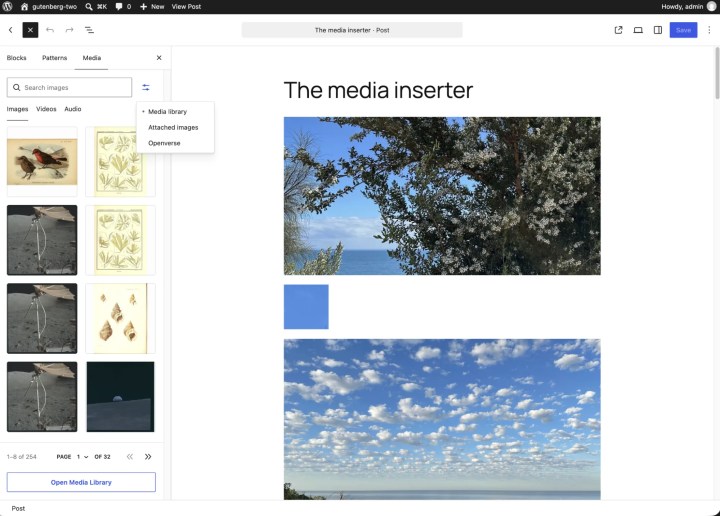
The media inserter is also being redesigned with sprawling media libraries in mind. On top of that, Gallery improvements include additional sources for dynamic galleries and sorting options for static ones. And for sites with years of accumulated media, better tracking of original images and their cropped versions should keep the library more manageable as it grows.
Polished editing experience
Some of the most welcome changes in this release aim to solve for the small interruptions that get in the way of writing and publishing.
The Gutenberg Block Editor paper-cuts initiative presses on familiar annoyances around selecting text, pasting content, dragging and dropping blocks, and editing on mobile. The larger goal is to make everyday editing tasks feel more predictable and to give better feedback when something goes wrong.
Navigation editing gets some attention of its own. The Site Editor continues the editing improvements introduced in WordPress 7.1 and should make it easier to add, organise, and edit navigation links without moving between different interfaces.
WordPress 7.2 also adds an “On This Day” section to the dashboard’s activity widget. It brings back posts published on the same date in previous years so content teams can go through older editions or see how their posts have evolved over time.
Stronger base for developers and security
Some of the more consequential changes in WordPress 7.2 are made with teams building and maintaining WordPress sites in mind.
On the security side, the release is working towards a more reliable way to handle credentials through the Secrets API. Beta 1 describes it as a first-class mechanism for storing sensitive information, with WP-CLI support and a proper user interface planned for a future release. It also lets hosting platforms use any secure secret storage they have in place.
Another effort, called sudo mode, looks at adding another layer of security by asking users to log in again before carrying out sensitive admin actions.
Thinking through Abilities
The Abilities API has an interesting history with us because our team has been closely involved in developing the initial API implementation. The idea was to build a blueprint that made core WordPress functionality discoverable, reusable, and easier for the wider ecosystem to work with.
We are seeing the next phases of this architecture in WordPress 7.2. Beta 2 release notes already hint at the continued progress on the Abilities API, including content querying, schema handling, and permissions. There’s also an AI angle to watch, though not everything on that front is headed straight into the core. Much of the AI-related work is being pursued through the AI plugin, with no promise of making a cut in WordPress 7.2.
A more extensible WordPress CMS
WordPress 7.2 seems to also bring more ways to customize the admin experience, particularly for websites with complex content structures and editorial workflows.
DataViews and DataForms are getting server-side registration capabilities that let developers add custom views, fields, forms, and actions. The Site Editor is also becoming more extensible, with plugins now able to register their own screens and settings within it.
For enterprise implementations, this means more freedom to build admin experiences around existing business and editorial processes, rather than forcing teams to squeeze their workflows into WordPress’s default interface.
Talking about admin, WordPress has grouped together JavaScript and CSS files in the dashboard for over a decade. This changes with 7.2 which lets individual files be cached and reused independently. This should make moving around the dashboard super fast.
What WordPress 7.2 means for your site
WordPress 7.2 is not centered on one dramatic change. A lot of the value is tucked into making existing workflows more capable.
For enterprises with large sites and multiple teams, those details get more eyeballs. The editor needs to offer flexibility to keep design consistent across pages. Media workflows need to scale with growing libraries. Security and extensibility need to keep pace with the integrations and processes built around WordPress.
WordPress 7.2 touches on all of these areas. The final picture will become clearer as we approach the first release candidate, but the updates in beta releases offer a window into where the platform is heading.
Meet Ipsum
A more capable WordPress Editor
Take Notes!
More from the Media Library
Polished editing experience
Stronger base for developers and security
Thinking through Abilities
A more extensible WordPress CMS
What WordPress 7.2 means for your site
On this page
Credits

Babita Manna
Author
Babita Manna
Author
Babita is a writer and an editor on the marketing team at rtCamp. She has been part of the open source ecosystem for some time now and has grown fond of the ideas and communities that make it what …
Related articles
-
WordPress 7.0 Arrives Soon—Here’s Why We’re Excited
Opinions
-
BuddyPress Media 2.4 with major refactoring
News
Comments
Leave a Reply Cancel reply
Name*
Email*
Comment*
Submit
Δ