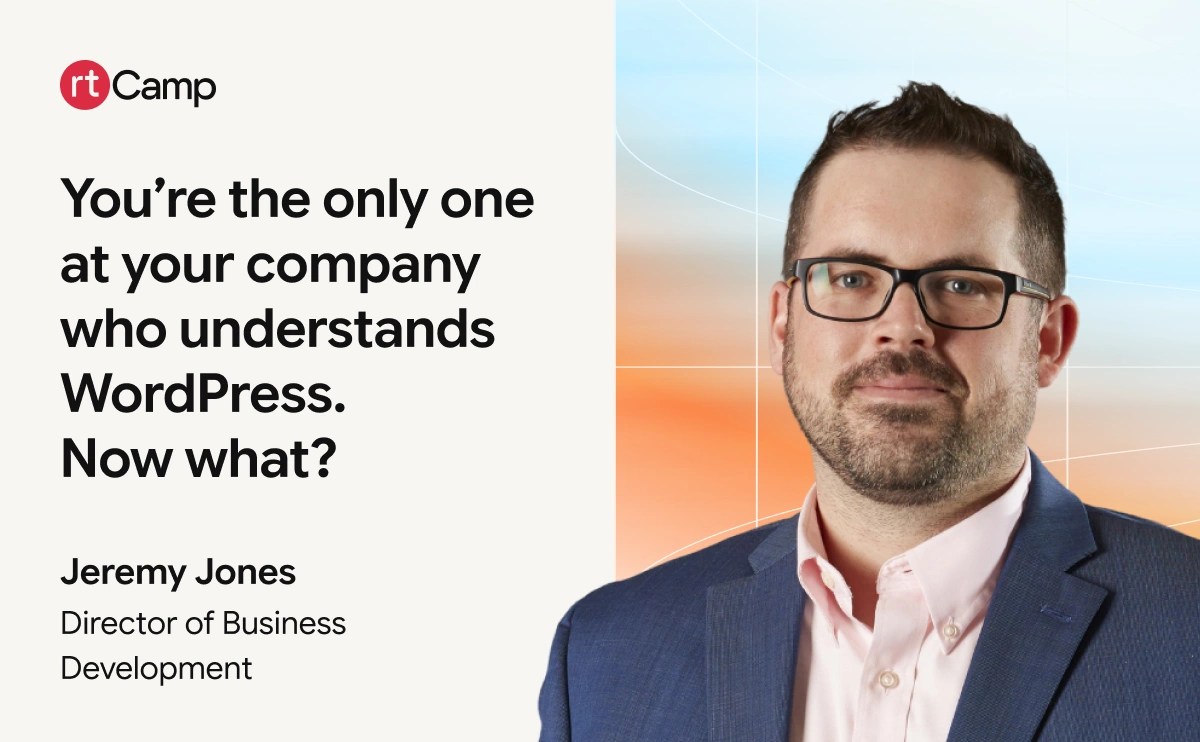
At WordCamp US 2026, our Director of Business Development, Jeremy Jones, spoke to the person who never signed up to run WordPress and ended up owning it anyway, after a downsizing or because the site landed in their half of the marketing stack. A show of hands found plenty of them in the room. He argues the job gets easier when the work is visible.
So he laid out five things to start on Monday, from keeping a work log to auditing who still has admin access, which regularly turns up fired agencies and employees who left years ago.
His reminder: you may be the only one at your company, but the community behind you is large.
Watch the full talk for all five actions and the Q&A on enforcing SOPs and training volunteers.
Watch the talk here
You’re the Only One at Your Company Who Understands WordPress. Now What?
Read the full transcript
Show transcript
All right, good afternoon everybody. I know it’s after lunch, so everybody’s digesting a little bit here, but we’re still going to try to get the energy going a little bit here in the room. So thanks for coming out.
I put this topic together because in my time working with clients with WordPress sites, I found that there was a recurring trend that I ran into, where there tend to be folks in organizations, surprisingly, even from small business all the way up to enterprise organizations, who end up being the WordPress power user and they never necessarily set out for that responsibility. Maybe they were the person in their organization who was left after a downsizing, or maybe it was an aspect of the marketing tech stack that was assigned to someone.
So really the focus for this is trying to arm those people who are put in that position and have found themselves there with some tips and tricks to be more successful.
All right, so just trying to get people moving, get people energized here. I’m going to do a couple of quick show of hands. So we’ll run through this just one at a time.
Who here feels like they’re the person in their organization who gets all of those WordPress questions? All right. Good. So we’ve got a decent amount of people here who find themselves in that position.
Who has had a budget request denied for something that you knew that the website needed? All right, see some hands for that one as well.
Who is helping to manage a website who was not originally involved in that site’s creation? All right, see some hands shot up for that one as well. That’s great.
And who here has found themselves in a situation where they’ve been asked to make a quick change when in reality that was not a very quick change at all? All right, see some hands for that as well.
So, just a quick rundown of what we’re going to go over today. We’re first going to talk about the invisible workload. So what I mean by that is it’s the things that you’re doing to help keep your site running really well that other people in the organization don’t necessarily see. Next, we’re going to talk about how to position yourself as best you can to be able to justify the budget for the things you need to enhance the site on an ongoing basis. Next we’re going to talk about one of my favorite topics, which is managing the plugin ecosystem. So how you keep your website clean and have good plugin hygiene.
We’ll talk about being that lone translator in your organization. So you are that person who is kind of the mouthpiece between marketing and tech and then also just general business people within the organization. Lastly we’re going to cover, if you find yourself in the situation where you’re freshly taking over the website and you need to acclimate to that build and being able to wrap your hands around it, what are those steps that you can take to feel like you are in better control of that environment?
And then we’ll leave some time at the end for questions, particularly if there are issues or problems that you’re dealing with right now. Happy to talk about those real world examples.
All right, so we already talked about this concept of the invisible workload. So there’s a lot of things that you have to do on a daily, weekly, monthly, annual basis. How do you make sure that that workload is being seen by the folks in your organization who need to know about it?
So we’ve all been there where you hear these statements from your boss or marketing leadership or IT leadership, where in general the kind of things you’re having to do as part of your job are not necessarily maliciously minimized, but just it’s a lack of knowledge as to what really goes into the job. So you hear things like, why does that need a budget? Or can’t you just do that tonight? Or, it’s just a quick change, can you make it in the next five minutes? And we know that behind the scenes there’s really a lot more that goes into things.
So I’m going to recommend four ways that you can make your work more visible.
The very first thing is to build a maintenance log, and maintain it, and share it with folks within your organization. So this is going to bring a granular level of visibility to the things you’re doing to a broader audience. And this is where folks run into the issue of being too humble, right? That was just a five-minute task, that was just a 10-minute task. But in reality, we know that all of those five and ten-minute tasks add up, and then before you know it, you’ve lost hours out of your workday contributing to these things.
So we want to make that running document something that is visible to IT folks in the organization, marketing folks in the organization, and they might not necessarily look at it every day. But it is one of those things, particularly when you need to justify the volume of work that you’re doing or being able to go back to a manager who might not necessarily really understand the work you’re doing, you now have a log for all of the effort that you’ve been putting forth.
The next recommendation here is to be able to shift the way you’re talking about the website and about WordPress into generic business language. So I think we’ve all had that type of a conversation where you’re talking to a general business person and you catch yourself talking shop. And the next thing you know, you’re realizing that half of what you just explained just went over people’s heads because they don’t speak the same language as you. So we’re going to touch on that a little bit more later on, but it’s about just shifting your perspective so that you can speak their language and what you are trying to communicate will hopefully be better perceived and understood.
The next recommendation is something that can be incredibly helpful to you in this role, but also to provide visibility to upper management within your organization, and that is to set up real-time monitoring tools. So Jetpack has a good paid package for this, and Uptime Robot. So basically you can set up these tools so that when there is an issue, when anything happens with the website, you’re getting an alert, the rest of your team can get an alert, so they’re aware that, hey, there’s something here that’s requiring you to drop what you’re doing and go in there and resolve and work on a problem.
So rather than working on these things in isolation, the whole team knows, hey, Bob or Sally has to now spend their time working on this. And hopefully we’re not dealing with that type of a problem very often.
And lastly, and probably the most important item on this list, is working from an annual roadmap. So when you have a website within your care, working on it incrementally becomes more of a natural way to focus on a website. However, when you’re working with the leadership team, they’re seeing all of those rolling requests and rolling needs as reactive and not necessarily something that they feel like accommodating. So the way that I like to recommend having WordPress users or WordPress power users work with their site is to start three months before the beginning of the year.
Think about all of the deficiencies that you believe your site has, all of the enhancements that you’ve been wanting to make, if there are triage items that you know you need to jump on, think about it strategically, prioritize them, document a 12-month roadmap. And then go to your superior, go to marketing, go to IT, get them all on board. Implement a process to say, hey, this is the plan for the website for the next 12 months. I’d like to get buy-in from everyone so that when January rolls around, or maybe you’re aligning it to your fiscal if it’s starting midway through the year, but get people’s buy-in and acceptance of the plan up front so that when you have that upgrade that’s needed, when you have that side project that’s needed for the site, it’s not going to be a surprise for them. They’re not going to see you as coming back to the well every two months and asking for more money.
This is a plan that they reviewed. They had an opportunity to ask questions, and hopefully they bought into it at the beginning of the year. And it gets you out of the position of constantly feeling like you’re surprising folks on the team with additional requests and additional big projects.
All right, and I think that segues well into justifying the budget. So one of the situations that I’ve seen a lot of people fall into is that compared to some other CMSs that people have had experiences with, WordPress just tends to work, right? You don’t run into a lot of the issues that people have run into elsewhere. And that many times lulls organizations into a false sense of comfort, in that, well, the site’s working, there’s no issues, why do I have to invest in additional tech stack or additional services for the site?
Nothing’s broken, I don’t feel like prioritizing this funding. So if you’re encountering that, you’re probably in an organization that is not really interested in funding prevention or optimization. Instead, they’re in more of a reactive mindset, to say, well, we’ll put forth the money if something breaks, right?
So you’re in a position where you need to shift that organizational mindset.
Some of the ways that you can do that is you want to be able to lead with business value, not task oriented work. So another way to reframe this so that general business leaders get on board with it is to say, what is the cost to the business if the site doesn’t work the way you need it to? Especially if you’re an organization that is generating leads or the website is doing a critical business function. Figure out what the cost is to the business if that site is down for an hour. And then equate those costs to say, okay, if we are proactive and we’re doing the following things to keep the website up and running well, that cost is actually less than waiting for the wheels to start to wobble on the website.
Another way that you can look at it is turning those near misses into wins. So for instance, rather than just saying, okay, well, we did a website maintenance and we updated a couple of things and we’re good to go, you actually want to point out the really big things that you ended up saving the organization from.
So let’s say you found that there was an old plugin that hadn’t been updated in a while and there was a vulnerability, right? Rather than just saying we updated a plugin, you could say, hey, we patched something, or we replaced a plugin and it was an exploit that was affecting hundreds of thousands of sites. We’ve prevented that. That’s the value of doing the maintenance. That’s why this is an essential part of the role.
And then lastly, if you can frame the ongoing work that you’re doing on your website as insurance rather than overhead, that’s another thing that business leaders really understand. So they understand the concept of protecting against risk. So being able to establish that putting a realistic investment into maintaining and expanding the website is worth it from a budgetary standpoint, because you’re essentially buying yourself that stability and making sure that the website’s going to run well and not having any bigger issues.
Next up, the plugin ecosystem. So all right, we’re going to do a little exercise here. So knowing your own websites, how many people have between one and ten plugins installed on their site right now? Okay, we’ve got some hands. How about eleven to twenty plugins? Okay, a little bit more hands. What about, let’s just say, 21 plus? All right. Still a significant amount of hands. I’m afraid to ask beyond that.
All right, so let’s talk about plugins. Plugins are one of the most amazing aspects to the WordPress ecosystem. There’s over 69,000 free plugins in the WordPress library. So that’s an amazing resource for having all that modular functionality that you can bolt to your site. But what it also becomes is that double-edged sword where folks are so excited and eager to add this functionality to the site, without realizing that every additional plugin that you’re adding to the site represents maintenance load, represents some additional risk that you have to take on.
So I like to really talk about plugins to make sure that people aren’t overusing them. So some of the things that excessive plugin usage can result in is conflicts between plugins, performance impacts on the site, security risks, and just an overall more burdensome maintenance load than is necessary.
So, what do you do about that? I recommend an annual plugin audit, meaning that you’re going in, you’re looking at everything, whether it is currently running, enabled versus disabled.
It doesn’t matter, if it’s there installed on the site, we’re going to look at it. So what does each plugin do? Do you know? If you don’t know, you’ve got to figure that out. That’s number one red flag, if there’s something running there that you don’t even understand what it is or what it does. Who approved it? When was it last updated? That’s huge. You want to be constantly checking to make sure that these plugins are continuing to be supported.
Does it still have a decent rating? Sometimes people will find that support has dropped off for a certain plugin, and you may see, hey, this used to be a four and a half star plugin and now it’s rated two. There’s something going on with this plugin. Is it affecting me? Maybe not, but it’s something you should be aware of. Is it still needed? I see a lot of plugins that are installed on sites that were installed for a very specific purpose two years ago, and for some reason they’re still there, sitting there on the site.
You don’t want it there if it’s not actively being used. And then lastly, is it a plugin that could be replaced by stock WordPress functionality or a function of the theme that you have installed? If so, let’s rely on that stock functionality and get the plugin out of there.
One of the next steps here is, I know that folks who are maintaining WordPress sites, sometimes you’re getting requests coming in at you from a whole bunch of different angles. And it’s not necessarily requests as much as it is a demand, like install this for me, or, I’d like to have this feature of the site, here’s the plugin I want you to install. Right? So instead of it just being kind of following orders and just implementing whatever people are throwing at you, you want to be able to set up a process where there actually is an intake process where you’ve established, and it could be as simple as a Google Form, where you’re asking some base level questions. What is this plugin? Why do you need it? What’s going to be the benefit to the organization? Is there a cost? Et cetera. Gather that information on the plugin and get back to people on your team. If you see that, hey, this plugin that they’re requesting hasn’t been updated in two years, that’s a red flag. If it’s got a low rating, another red flag.
Also if it has a very minimal number of installs, that could be another red flag. So you want people on your team to understand that just because they’re requesting a plugin doesn’t mean that you’re just going to install it right away. It’s got to go through that process. Your role is to QC what gets connected to the site.
And then lastly, just to circle back to it because it is so important, you want your plugin library to be as lean as possible. So, if there is a way to reduce the number of plugins, great. I’ll give you an example. There are security plugins out there that do a very broad suite of things, and yet there might be security plugins that just do one specific thing, like a malware scanner. What I would say is, if you’re already running a broad spectrum suite for security, you can probably get rid of a number of those security-based plugins that just do a couple of niche things.
Also, WordPress continues to get better and better, with all the different blocks available now with Gutenberg. I know that there used to be a ton of plugins that are now relatively obsolete because they are now part of WordPress core. So if you’re still using a photo gallery plugin or a carousel plugin or things like that, those are plugins that you can likely get rid of and end up moving over to what is available to you through stock functionality on the site.
Next up here, we’re going to talk about that point that we mentioned earlier, being that translator within your organization, right? So you speak WordPress, or you’re learning to speak WordPress, and the other folks within your organization, they don’t speak that same language. So when you’re talking about blocks and themes and all the other terminology that we use here, they’re not going to be following you.
So next here we’re going to talk about how to convert those discussions into language that they’re going to hear and be more receptive to.
One of the reasons why this is going to benefit you is, if you are able to explain and justify the reason why you’re doing something, your job is going to be much easier. So, for instance, if you’re talking to somebody in the marketing team and you’re saying, we really need to prioritize this PHP update, they don’t know PHP. They don’t know why it needs to be updated. They don’t know that the versions are changing and what’s supported is changing.
All they hear is blah, blah, blah, something technical, and I guess they’ve got to do it. So you want to be able to catch yourself when you’re about to say something that is too WordPress-y or too website technical, and break it down into, not necessarily dumb it down, but just translate it into business terminology. The site has a critical piece that needs to be updated. This is normal, this is something that we need to do. There is an end of life for this aspect of the site. We need to work on it, and this is the deadline that I’m giving for us to do it, for the following reasons.
So to help with this, there’s a couple of things that you can do that will help you to make this process easier. When you are requesting things, or when folks are requesting things of you, you need to decide on a common language. So that’s really simplifying things down to plain language requests.
So if they are saying things in marketing tech stack oriented terminology, you want to be able to equate that to something that everyone in the organization is going to understand. Same with you, if you need to push something through, instead of speaking in WordPress, you’re going to use plain language.
Another absolutely great way to get a level playing field from an understanding standpoint is to create an explainer doc. And what that is, is it’s like a website 101 crash course document for folks who don’t have to interact with your website on a daily basis. So you could write this yourself, you could use ChatGPT or Claude to help you, but essentially limit this to a page or two.
And this is a document that says, okay, this is what our website is built on. This is the tech stack. This is how changes to the website get made in our organization. These are some quick requests, these are mid-level requests, and these are more challenging requests. And what that org chart is for getting things done on the site, what that process is like.
So this is a document that, when someone comes to you in the organization out of left field and they want you to do something and they’re not really familiar with the site, how it works, how it’s built, what the process is, this is an off-the-shelf document that you then can hand to them and have them review and get up to speed on what you’re working with with the site.
And lastly, borrow the language of the business, and a lot of this is vertical specific. So if you work in healthcare, that language is going to be different than if you work for a manufacturer, which is going to be different than if you work for a professional services company. So you want to think about what is the language that the executive team, the leadership are using, and then go to them, meet them halfway, especially for the really big asks, so that you’re setting yourself up for success.
All right, so for this last section here, quick show of hands. Who is managing a website right now that they’ve really just taken over in the last year? Okay, so a surprising number of people. So this will be a good section then.
All right. So WordPress is a very collaborative platform. The negative side to that is you’re inheriting something that likely a lot of different people have touched, right? And you can build and transform a site using WordPress in many different ways. So if a bunch of people have been interacting and working on that website, that’s a lot of cooks in the kitchen.
So I can probably guess what some of you are going through. And it can range, there could be a pretty big range to this. So what does that entail? There could be work on there done by former employees, by freelancers or contractors, and many of those people could still have admin access to the site. There could be a variety of vendors who are currently engaged with your company, think SEO, copywriting, digital marketing teams, and any of these groups could have access to your site.
Documentation is something that is relatively scarce for most organizations. So, gathering up and figuring out, hey, has anybody documented any of the work that’s been done on the site so far? In the case for past employees or past companies that you’ve worked with, you’re never going to get that documentation. It’s water under the bridge, it’s gone, you’ve got to figure that out on your own.
However, if you are still working with partners or team members who did help to build your current site, one of the things you want to go back to them first and ask them to do is, hey, do me a favor, if you can just spend a couple of hours, even if it’s rough notes, and just give me whatever you can on the how and the why things were built the way they are.
In our role here at rtCamp, we end up helping clients in a similar capacity, and I call it digital forensics. You get into a website that you didn’t build and you’re trying to figure out, okay, this looks strange. This is atypical. Why was it built that way? There probably was a good reason for it at the time. Without that information, without that documentation, you’re trying to solve a mystery.
You want to be able to figure out where all the logins are for all of the aspects of the tech stack. That’s everything from hosting to domain registrar, getting all of that and actually making sure that those accounts are in your organization’s name. I’ve seen this a lot. It’s mostly an older tactic, but some organizations that build sites, they’ll set up all those accounts for you, but they’re setting it up on an agency account.
So you’re kind of handcuffed to them. So you want to uncover where you have those vulnerabilities, where you do not have access to your own accounts, and work towards getting those being something that your organization holds and controls. And then lastly, is there a process in place for any type of large changes or enhancements for the site?
So the very first thing that I recommend here is, do a credentials and access audit. Look at not just WordPress but all of the different aspects of the tech stack that are connected to the website and related to the website. Document who are all of the different admin users that are on the site. I can’t tell you how scary it is when I work with some clients and there are employees that haven’t worked for them for years, and agencies that they fired two years ago, that are still there with active login credentials to the website.
So you want to figure out who has access to the site, who has access to all of the domain registrar, hosting, CDN information. If you bought an SSL from another company, get it all documented.
And then in the next step here, you want to right size all of your access. So anybody who doesn’t need access, you want to immediately revoke access to those folks. And you even want to look at, let’s say you’re working with a content team to help produce blogs or white papers or things on your site. Do they need full admin level access? Probably not if they’re a content contributor.
So you want to look at right sizing the level of access that folks have. I know some organizations by default, they’re just giving everybody the same level of admin access.
And then lastly, this is not only to help protect yourself, but also for educating other people within the organization. Make a one-page governance document for your website. So who owns the site regarding responsibility, who is authorized to make changes, who gets called if there is a problem, and what is that decision tree that gets followed if decisions need to get made on the site? And what is the process for adding new tools and/or vendors to the site?
So I’ve sat through a lot of these kinds of talks at WordCamps over the years. One of the things I always appreciated was, when you came out of a talk like this, what are the actual take-home actionable items that people can do? So I’ve got five of them for you that are things that you can jump on next week when you get home and get settled.
So number one, that maintenance log. Document all the things you’re doing, even the things that you think are minor. Just keep a rolling log of all the things that you’re doing, share it with your manager, share it with IT and marketing stakeholders so that they’re aware and they see the work that’s happening.
Regarding justifying your budget, start off by creating a baseline risk level to your company, to say, how important is it to your organization that the website works and works well? What is the cost to the business if it doesn’t? Right? Get that documented, because that is the basis of a lot of budgetary justifications that you’ll have down the line.
Your plugin ecosystem. Do that plugin audit as soon as you possibly can. Even if you don’t have a full hour to sit down and look at it, just 15, 30 minutes, get in there, take a high-level assessment. Is there anything in here that’s immediately a red flag? And start researching that plugin, asking people in the organization, hey, do you know what this is? Do we know if we’re even using this?
Being the translator within the organization, one of the big things there that you can do is make that intake form for site changes. Again, super easy, you can build it in Google Forms or Microsoft Forms, and it doesn’t have to be something that’s etched in stone. If you come up with more questions that you want to ask or a better format for it, you’re making the rules here. You can change that and update it as much as you want.
And lastly, regarding control and access to the site, you want to be able to document all access to all of the various aspects of the WordPress tech stack. So that’s WordPress and all of the things that are plugged into WordPress. What are all of the account accesses that your organization has given over the years? And is it the right level of access to the right people?
So, wrapping up, I think more so than many tech environments, you are in a very unique situation where there really is an amazing community supporting one another here with WordPress.
So you may be alone, or one of a couple of people in your company that are supporting your website and supporting WordPress, but behind you, you have a huge community of folks that want to help support you, that are willing to answer questions, that are able to give you recommendations and help provide shortcuts, so you don’t have to go through everything on your own, figuring it out from scratch.
And lastly, the work you do is valuable. Everybody here at WordCamp, we see it, we recognize it. So set yourself up for success. Make sure that all of your contributions are known and are visible to folks within the organization.
All right. So we’ve got some time left over here for Q&A. Love to hear any situations or questions that you may have regarding what’s going on within your organization. I think there are some microphones that’ll be delivered to you if you have questions. So, oh, actually just in the aisles.
Watch the talk here
Read the full transcript
On this page
Credits

Abhijit Prabhudan
Author
Abhijit Prabhudan
Author
Works on content systems, publishing workflows, and knowledge management. Diverse experience spans editorial, marketing, ecommerce, and IT support. He operates across open source platforms, hand…

Babita Manna
Editor
Babita Manna
Editor
Babita is a writer and an editor on the marketing team at rtCamp. She has been part of the open source ecosystem for some time now and has grown fond of the ideas and communities that make it what …
Related articles
-
WordCamp Asia 2026: How rtCamp is showing up in Mumbai
Events
-
Meet rtCampers this weekend at WordCamp Mumbai 2015
News
Comments
Leave a Reply Cancel reply
Name*
Email*
Comment*
Submit
Δ